01
One board
What waits on you, what's running, and what got done since you last looked, each in a numbered pane.
Ask Fracton for the email, the booking, the research or the errand behind a login. The board shows what waits on your yes, what's still running, and the follow-ups due in the next 48 hours. You clear it from the keyboard.
Three monitors running Fracton for Mac on sample data: a session with an email waiting for approval, the home board, and the follow-ups due in the next 48 hours.
+6:10:40 nudge Priya if quietMost of what you hand an assistant comes back later: a draft to approve, a reply that hasn't landed, a form waiting on a code. Fracton for Mac keeps all of it in view, so your attention goes to deciding, not to looking.
What waits on you, what's running, and what got done since you last looked, each in a numbered pane.
When something waits on your yes, Y sends it and N stops it. From the board, the session or the menu bar.
Watches, follow-ups and reply waits run on our servers after you close the app.
Press ⌥Space anywhere to hand something off. SNAP sends Fracton a picture of the window you're in.
In plain words, from the board or from any app. Attach a file or SNAP the window you're looking at.
Each step shows as it happens. Close the app and the work keeps running on our servers.
Hi Lena,
Thursday 10:00 and 2:30 both work for the pilot call. Which suits you?
What needs you lands on the board with the whole email or change in view.
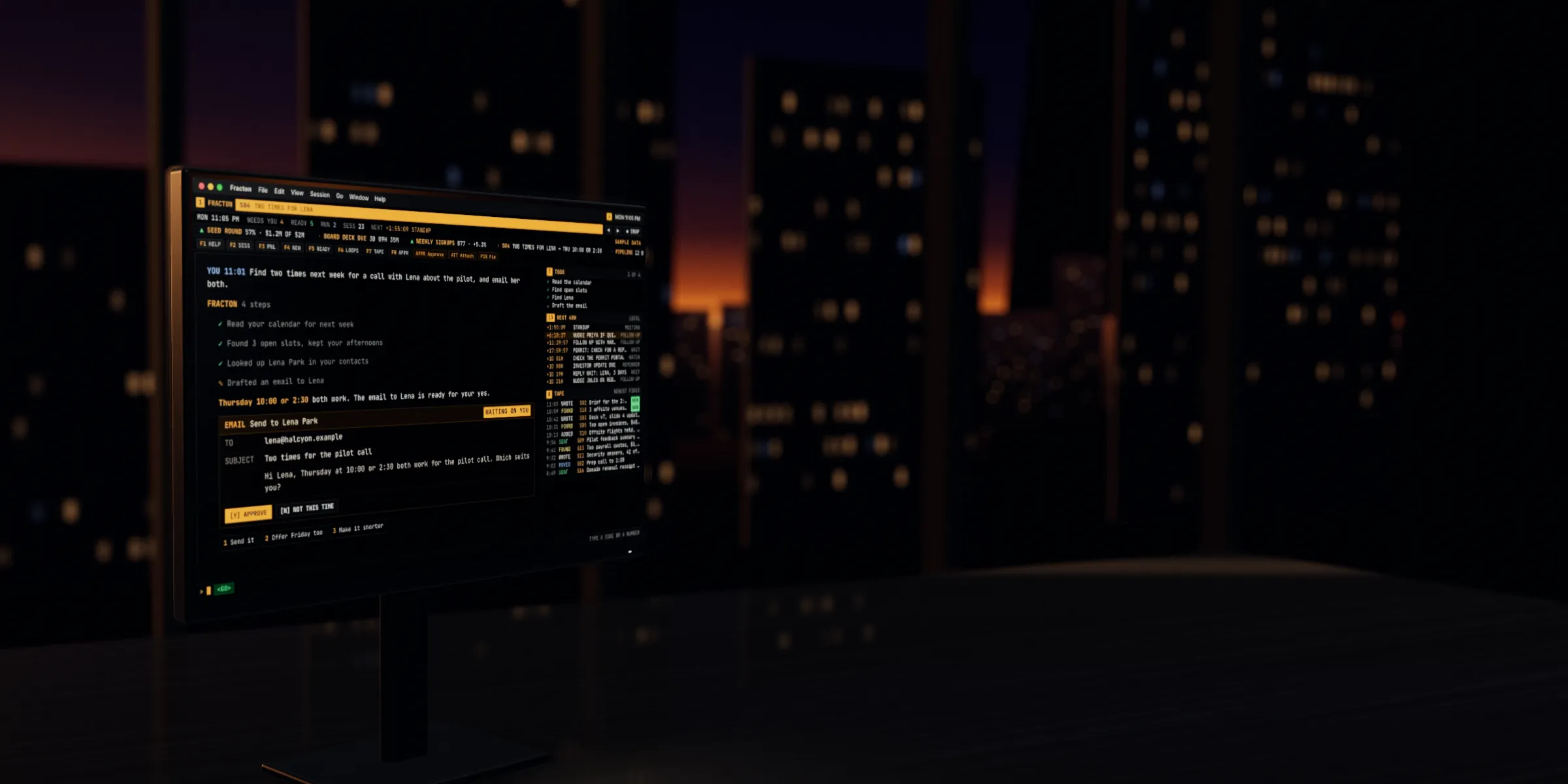
Fracton works out the steps, shows each one as it goes, and puts anything that needs you on the board.
← and → step through the panes, and arrows and Enter work on every list. Try it: press →, or type 4 and press Enter to load S04.Tap a pane on the screen, or its number below.

Tell Fracton whose reply you're waiting on and when to nudge. The wait keeps running after you close the app. When the reply lands, the session picks back up. When time runs out, the nudge it drafts waits for your yes.
By default, it emails or changes your calendar only when you ask or approve. When something waits on you, you see the whole email or the whole change first.
Y sends it. N stops it. Try it here: press Y or N.Try it here: tap Approve.Reset the sample to try it again.
S04 · Email to Lena Park · waiting on you
Type DANA and press Enter. You get what your contacts and Fracton know about her, and every session that mentions her.
Press ⌥Space in any app and type what you need. Or SNAP the window in front of you, and Fracton gets the picture with your request.
Close the window and it stays in the menu bar, with a count of what needs you.
Ask Fracton to keep a number, a chart or a checklist, and it becomes a live panel. The ticker quotes each panel like a price, then each recent session: what you asked and what came of it.
Every action is a short code you type, and the function keys work without fn while the app is in front.
In the app · Fracton for Mac keys
The rules are set by the system, not by the assistant's judgment, and you can see each one.
It emails or changes your calendar only when you ask or approve.
Payments in connected apps wait for your OK.
Calendar changes that notify guests wait for your OK.
It stops at buttons like Place order and Pay now.
A follow-up's nudge waits for your OK before it goes.
In Preferences, you can let some actions run without asking.
60 minutes of active AI work. No card required.
For people who hand off work every day.
The board, one-key approvals, ⌥Space and SNAP, on the account you already have.
Past the included usage on Pro, you set a spend limit. See full plan details.
No. Fracton runs in your browser: usefracton.com opens the web app at penteraction.ai, from Penteraction, the company that makes Fracton. Fracton for Mac adds the board, one-key approvals, ⌥Space and SNAP on the same account. It needs macOS 13 or later.
Yes. Sessions, replies and pins stay in step on both.
By default, it emails or changes your calendar only when you ask or approve. Payments in connected apps and calendar changes that notify guests always wait for your OK. In Preferences, you can let some actions run without asking.
Gmail, Outlook and Google Calendar, sites you've signed Fracton in to, and the apps you connect (25 on Pro).
It stays in the menu bar with a count of what needs you. Watches, follow-ups and reply waits keep running on our servers either way.
It's in private beta. Start free on the web, then ask to join the beta and we'll set you up on the same account.
Hand it off and keep working. The board tells you when it's your turn.
